Loan Officers who closed at least one (1) loan in 2025 will be onboarded with a company-paid ARIVE account. Loan Officers who did not meet this threshold will be onboarded with a self-paid ARIVE account.


From pricing loans to managing your pipeline, ESHL’s official Arive Hub gives you everything you need to confidently navigate and succeed in Arive.

Loan Officers who closed at least one (1) loan in 2025 will be onboarded with a company-paid ARIVE account. Loan Officers who did not meet this threshold will be onboarded with a self-paid ARIVE account.
Yes. A self-paid ARIVE account does not restrict your ability to originate loans or submit business. The difference is limited to how the ARIVE subscription fee is paid.
If you do not anticipate originating loans and do not need system access, you are not required to maintain an ARIVE account. Email LOsupport@equitysmartloans.com to opt out of provisioning or billing. When you are ready to originate loans, you may request activation at that time.
Yes. Loan Officers who begin producing and meet company eligibility requirements may be requalified for company-paid access. Requalification will be reviewed by Sales and Operations Leadership based on production and business activity.
Exception requests should be submitted to LOsupport@equitysmartloans.com and will be reviewed on a case-by-case basis by Sales and Operations Leadership.
Branch Managers and Team Managers will continue to receive company-paid ARIVE access as required for oversight, reporting, and operational responsibilities. This access is not dependent on individual loan production and ensures managers can effectively support and supervise their teams during and after the LOS transition.
Loan Officers must:
Participate in required trainings, meetings, and company activities
If you are at risk of missing the benchmark, you will receive written notice at least 14 days before quarter-end
If the benchmark is not met:
Yes. You may request reinstatement by:
Reinstatement is not automatic and is reviewed by management.
ARIVE is our new Loan Origination System that will replace our current platform. It is an all-in-one system designed to streamline pricing, loan setup, disclosures, processing, and lender submission.
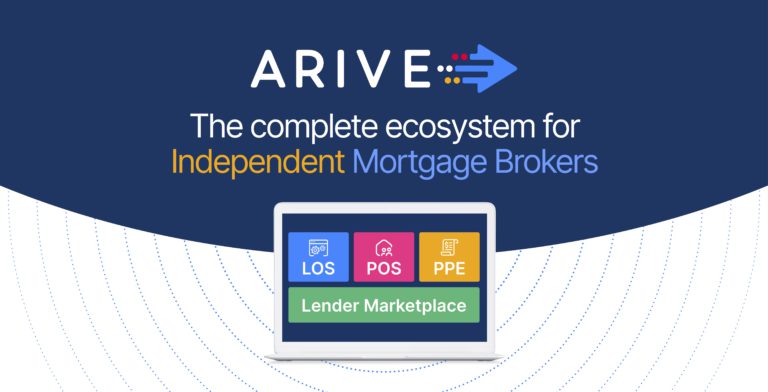
ARIVE is the first all-in-one platform built specifically for independent loan originators—combining LOS, POS, PPE, and a connected Lender Marketplace in one seamless system. With high-touch support, no setup or onboarding fees, and a free trial, brokers can explore the full platform risk-free.
Switching to ARIVE doesn’t just upgrade your tech—it eliminates dozens of extra tools and monthly expenses you’re likely paying for today.
ARIVE allows for:
The official go-live date is January 21st, when the company announced the migration from Lending Pad to Arive. Effective April 1st, 2026 all loans must originate in ARIVE.
You will receive an email invitation from Equity Smart IT Support with login instructions.
Access URL: https://equitysmart.myarive.com
Yes, you can import loans from Lending Pad into ARIVE. Phase 2 of the ARIVE migration will include IT Support migrating past files from Lending Pad into ARIVE. Loan Officers can proactively import files using the guide below:
For your convenience, we’ve attached the official step-by-step guide: SOP: Exporting Loans from LendingPad & Importing into ARIVE.
Yes. ARIVE allows quick pricing by selecting the pricing tab with minimal data to review:
Yes, both wholesale and correspondent pricing are available in the pricing engine. The pricing engine is defaulted to broker so you will have to select a correspondent under the “industry channel tab” in pricing.
Borrowers can:
Yes. ARIVE generates a unique borrower link you can email.
Yes. Once you assign a loan processor, the loan is visible to the assigned processor if they have ARIVE access.
All documents are uploaded and stored directly within the ARIVE loan file in the Documents tab.
Yes. Borrowers can upload documents through the POS link after they create a login.
Yes. ARIVE includes built-in income calculators to help accurately calculate:
Yes. ARIVE supports:
Please note, if using a lender partner that offers soft/hard credit pulls, the credit must be pulled in the Lender’s portal. You will not be able to import that credit file to ARIVE.
Yes. ARIVE supports dual AUS runs and allows you to:
ARIVE is 100% web-based and mobile optimized, allowing access from:
Yes. Training will include:
Training schedule: Please see ESHL company calendar for ARIVE training dates.
Fill out the form below, and we will contact you as soon as possible.
| Cookie | Duration | Description |
|---|---|---|
| cookielawinfo-checkbox-analytics | 11 months | This cookie is set by GDPR Cookie Consent plugin. The cookie is used to store the user consent for the cookies in the category "Analytics". |
| cookielawinfo-checkbox-functional | 11 months | The cookie is set by GDPR cookie consent to record the user consent for the cookies in the category "Functional". |
| cookielawinfo-checkbox-necessary | 11 months | This cookie is set by GDPR Cookie Consent plugin. The cookies is used to store the user consent for the cookies in the category "Necessary". |
| cookielawinfo-checkbox-others | 11 months | This cookie is set by GDPR Cookie Consent plugin. The cookie is used to store the user consent for the cookies in the category "Other. |
| cookielawinfo-checkbox-performance | 11 months | This cookie is set by GDPR Cookie Consent plugin. The cookie is used to store the user consent for the cookies in the category "Performance". |
| viewed_cookie_policy | 11 months | The cookie is set by the GDPR Cookie Consent plugin and is used to store whether or not user has consented to the use of cookies. It does not store any personal data. |